Cut Optimizer
1D Cutting Optimizer for Bars, Tubes & Profiles
Cut Optimizer finds the most efficient way to cut your stock, so you waste less material and quote jobs faster.
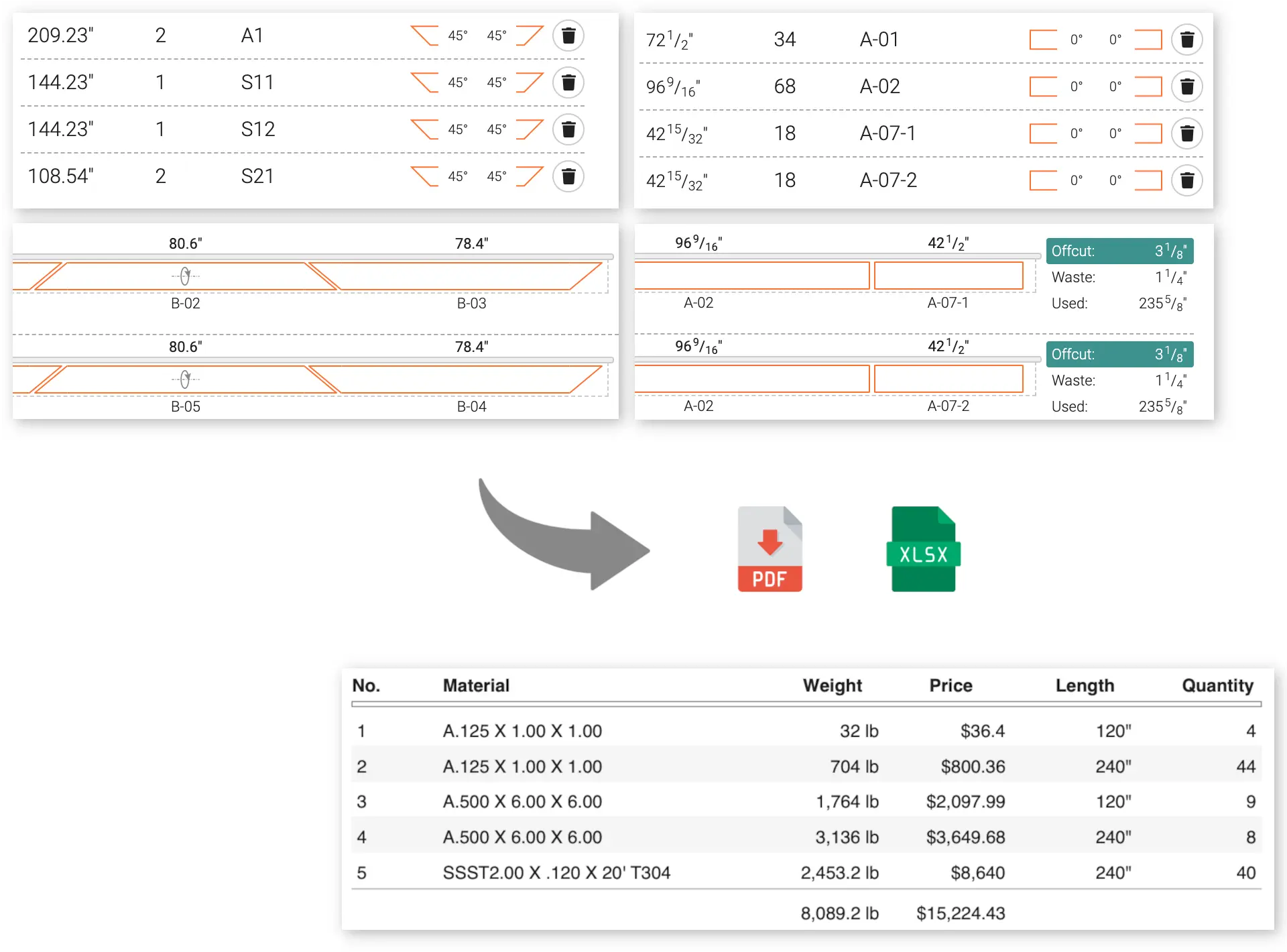
Built for Real Shop-Floor Constraints
Basic length calculators only look at simple totals. Cut Optimizer accounts for the real physical constraints of production, so the layout you get is one you can actually cut.
Miter Cut Nesting (Pro)
Nest angled pieces for framing and structural work automatically, finding the layout that wastes the least material on 45-degree and multi-angle miter cuts.
Saw Kerf Compensation
Enter your blade’s actual kerf width, and the layout accounts for exactly how much material the cut itself removes, so the numbers match what comes off the saw.
Remnant & Scrap Tracking (Pro)
Log leftover material and the optimizer uses it up before pulling fresh stock, cutting down on both waste and warehouse clutter.
Material Joining (Pro)
For jobs where shorter remnants can be welded or spliced together, calculate whether that’s cheaper than pulling a fresh length from stock.
Supported Materials & Profiles
Whether you’re running a CNC saw or cutting by hand, Cut Optimizer works for:
Aluminum Extrusions
Storefronts, window frames, and curtain walls.
Structural Steel
Hollow structural sections (HSS), pipe, tubing, channels, and rebar.
Woodworking & Timber
Moldings, dimensional lumber, battens, and framing.
Plastic & PVC
Vinyl profiles, conduits, and piping.
From Raw Numbers to a Cutting Plan in Seconds
Three steps from your raw numbers to a machine-ready layout.
Define Your Stock
Enter your available bar lengths, any leftover drops, and your blade’s kerf.
Enter What You Need to Cut
Enter pieces manually, or import from Excel or CSV (Pro).
Get Your Cutting Plan
Run the optimization and get a clear, printable layout for the saw.
Try It With a Real Project
Open a fully worked example and see a real optimization result immediately, no login required.
Why It Works for Your Business
Faster planning, better material yield, and pricing you can trust, without the manual work.
Optimize in Seconds
Get an efficient cutting layout instantly, no more manual calculations or error-prone spreadsheets.
Waste Less Material
Get more usable length out of every bar, which means lower material costs on every job.
Faster Scheduling
Go from raw numbers to exact material requirements in seconds, not hours.
Quote With Confidence
Give customers accurate material quotes quickly, and win jobs before your competitors get back to them.
Beyond Excel Spreadsheets
Spreadsheets break down once a job gets complicated. Cut Optimizer is built specifically for this problem.
Manual Excel Sheets
- Formulas break easily and are prone to errors
- Slow to recalculate on large, multi-bar jobs
- No real nesting logic for miter cuts or kerf loss
- Easy to make a costly manual data entry mistake
Cut Optimizer
- Purpose-built 1D cutting optimization engine
- Results in a fraction of a second
- Tracks reusable remnants for you (Pro)
- Clean, ready-to-use output for the saw operator
No Installs, No Surprises
Runs in the cloud, works the same every time, and fits into how you already work.
Nothing to Install
Runs entirely in your browser. No downloads, no license keys, no setup.
Same Input, Same Result
The same numbers always produce the same layout, so you can trust it when quoting a bid.
Ready-to-Use Output
Clean, uncluttered cutting lists ready for the shop floor, a quote, or an export.
Try It With Real Numbers
Run a real optimization with your own numbers. No registration or credit card required.
Start Cutting With Less Waste
Get a precise cutting plan in seconds, and a faster, more confident quote.
Resources & Support
Browse the FAQ, see what’s new, or learn more about who’s behind Cut Optimizer.